
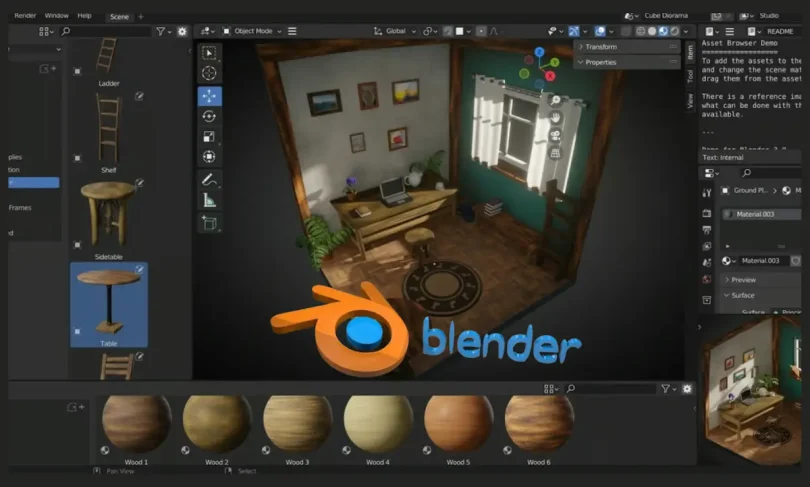

If you’re new to 3D design, the idea of creating models, characters, or products might feel intimidating. But the good news is, there are plenty of easy 3D design apps for beginners that make the process simple, enjoyable, and even fun. These tools are designed to help you learn the basics, experiment with shapes, and build your skills step by step without feeling overwhelmed.
Whether your goal is 3D printing, digital art, animation, or game design, starting with beginner-friendly apps can make a huge difference. Let’s explore the best apps to kickstart your 3D design journey.
1. Tinkercad
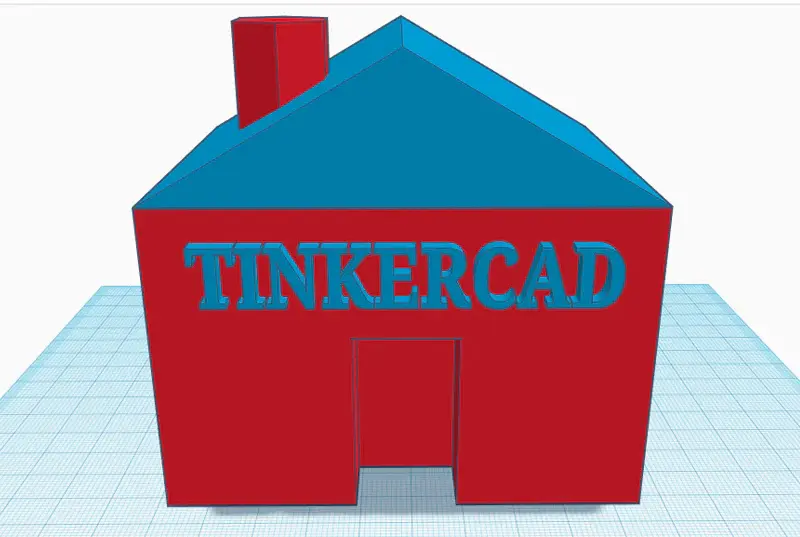
Tinkercad is one of the most popular beginner-friendly 3D design apps, especially for people who are completely new to the world of 3D modeling. It’s a web-based tool, so you don’t need to install anything—just sign up, and you’re ready to create.
Why Tinkercad is beginner-friendly:
- Drag-and-drop interface with basic geometric shapes.
- Step-by-step tutorials to guide you through your first projects.
- Export your models directly for 3D printing.
Best for:
- 3D printing projects
- Simple mechanical parts
- Educational purposes and STEM learning
Pro tip: Start by creating small objects like keychains or phone stands. This will help you understand how shapes combine and how scaling works in 3D.
2. SketchUp Free
SketchUp Free is another excellent tool for beginners. This web-based app makes architectural modeling easy, but it’s versatile enough for designing almost anything. The interface is clean, and you can start creating right away without feeling lost in too many options.
Why SketchUp is beginner-friendly:
- Push-and-pull modeling system is intuitive.
- Access to a large library of pre-made 3D models in SketchUp 3D Warehouse.
- Browser-based, so no heavy downloads required.
Best for:
- Architecture and interior design
- Furniture and product modeling
- Quick prototypes
Pro tip: Use templates and ready-made models to practice before creating your own complex designs.
3. Blender (Beginner Mode)
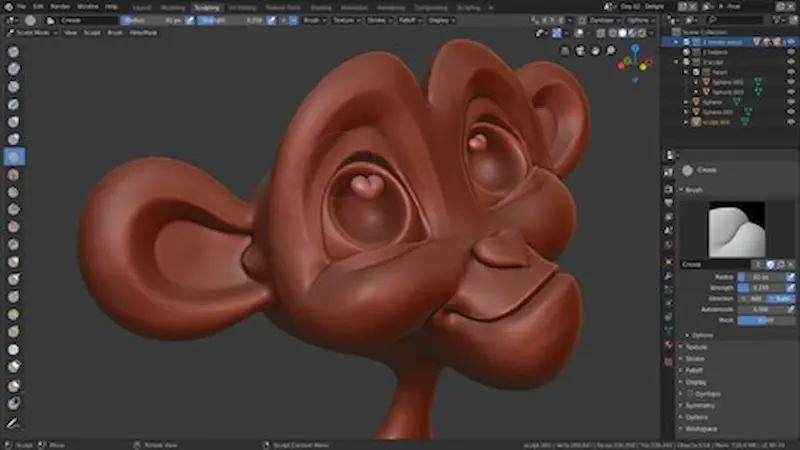
While Blender is known for its professional-level capabilities, it’s also surprisingly accessible for beginners if you focus on its beginner-friendly features. Blender allows you to create 3D models, animations, simulations, and even game assets—all in one software.
Why Blender is beginner-friendly:
- Free and open-source.
- Huge library of online tutorials.
- Beginner mode templates for simple projects.
Best for:
- Animations and visual effects
- Game design
- Character modeling and sculpting
Pro tip: Don’t try to learn everything at once. Start with modeling simple objects, then gradually explore lighting, textures, and animation.
4. Sculptris
Sculptris is perfect if you’re more artistically inclined. This app focuses on sculpting digital clay, allowing you to create characters, creatures, or abstract shapes with natural, flowing forms.
Why Sculptris is beginner-friendly:
- Simple interface with minimal menus.
- Intuitive sculpting tools that mimic real-life clay modeling.
- Integration with ZBrush if you decide to upgrade.
Best for:
- Character design and animation
- Organic shapes and artistic models
Pro tip: Play with the brushes and shapes freely—Sculptris is all about experimentation. Don’t worry about perfection in the beginning.
You may also like to read this:
Beginner-Friendly Simple 3D Game Comparison Guide For 2025
Top Rated 3D Games This Year – Must-Play 2025 Titles
Best 3D Design Tools For Games: Top Software In 2025
Free Software For 3D Modeling: Top Tools For Beginners
Best Tools For Animation And Game Design – 2025 Guide
5. Vectary
Vectary is a cloud-based 3D design app that combines simplicity with professional capabilities. It’s ideal if you want to create polished 3D visuals quickly without downloading heavy software.
Why Vectary is beginner-friendly:
- Drag-and-drop interface with lots of templates.
- Cloud-based, so you can work from any device.
- AR and VR visualization tools built-in.
Best for:
- Product visualization
- Simple animations
- Social media 3D content
Pro tip: Use templates to experiment with colors, textures, and lighting. This helps you understand how design choices affect the final model.
Tips for Beginners in 3D Design
- Start Small: Begin with basic shapes and objects before attempting complex models.
- Learn by Doing: Follow tutorials, then recreate them in your own style.
- Experiment: Try combining shapes, adding textures, and changing colors to see what works.
- Use Templates: Many apps provide templates that help you understand modeling techniques.
- Take Breaks: 3D design can be intense—short breaks help maintain creativity.
- Ask for Feedback: Share your models with friends or online communities to get constructive advice.
Conclusion
Starting with easy 3D design apps for beginners is the perfect way to enter the world of 3D modeling. Apps like Tinkercad, SketchUp Free, Blender, Sculptris, and Vectary allow you to experiment, learn, and grow your skills without feeling overwhelmed. By starting small, following tutorials, and exploring creatively, you can gradually move from simple objects to complex models and animations.
Remember, every expert was once a beginner, and with these apps, you can have fun while learning the essentials of 3D design.
FAQs
Q1: Do I need a powerful computer to start 3D design?
A1: Not necessarily. Web-based apps like Tinkercad, SketchUp Free, and Vectary can run on most computers. Blender and Sculptris may require more processing power for complex models.
Q2: Can beginners create 3D models for printing?
A2: Yes! Tinkercad and SketchUp Free are especially beginner-friendly for 3D printing projects.
Q3: Which app is best for creating characters or artistic models?
A3: Sculptris and Blender are ideal for character design, sculpting, and organic modeling.
Q4: How long does it take to learn the basics?
A4: You can start creating simple 3D models within a few hours using beginner-friendly apps like Tinkercad or Vectary.
Q5: Are these apps free?
A5: Yes, most of the apps listed have free versions that offer all the basic tools a beginner needs.


