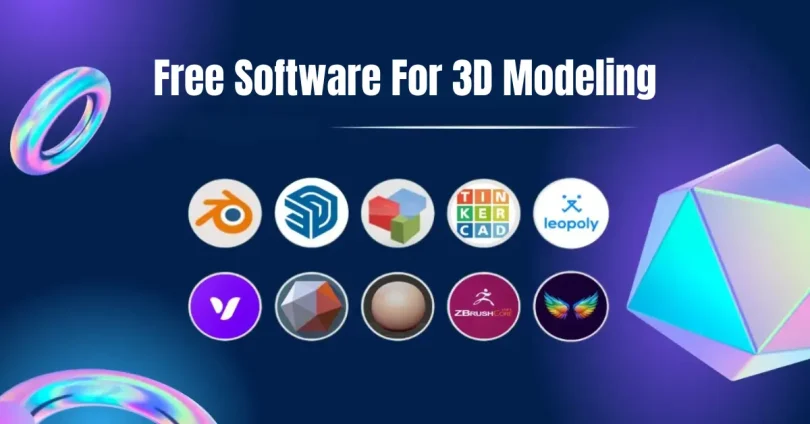

If you’re stepping into the world of 3D design, the first step is often finding the right free software for 3D modeling. Whether you want to create game assets, animations, architectural models, or 3D prints, there are several powerful tools available that won’t cost you a dime. The good news is that you don’t need expensive software like Maya or 3ds Max to start creating stunning 3D models. This guide will walk you through the best free tools, their features, pros, cons, and tips for getting started.
Why Choose Free Software for 3D Modeling?
Starting with free 3D modeling software is a smart decision for beginners and hobbyists. Here’s why:
- No Financial Risk: Paid 3D software can cost hundreds or even thousands of dollars per year. Free software allows you to learn and experiment without financial commitment.
- Learning Opportunity: Many free tools are widely used, with large online communities, tutorials, and documentation to help you learn the craft.
- Flexibility: You can try multiple software options to see which suits your workflow and needs before committing to a paid solution.
- Professional Quality: Several free tools, like Blender, are professional-grade software used by studios and freelancers worldwide.
Top Free Software for 3D Modeling
Let’s dive into the best options available for 3D modeling.
1. Blender
Blender is the most well-known free software for 3D modeling and for good reason. It’s open-source and incredibly versatile.
Features:
- Modeling & Sculpting: Create complex 3D models, from characters to objects, using polygonal and sculpting tools.
- Animation & Rigging: Make full animations, rig characters, and simulate realistic movements.
- Rendering: Use the Cycles rendering engine for photorealistic results.
- Simulation: Physics simulations like cloth, fluid, smoke, and particle effects.
- Video Editing: Edit your animations and videos without leaving Blender.
Pros:
- Completely free and open-source.
- Large community with countless tutorials.
- Professional-level features for modeling, animation, and rendering.
Cons:
- Steep learning curve for beginners.
- Requires a moderately powerful PC for complex projects.
Blender is perfect if you want to grow from a beginner to a professional without ever paying for software.
2. Tinkercad
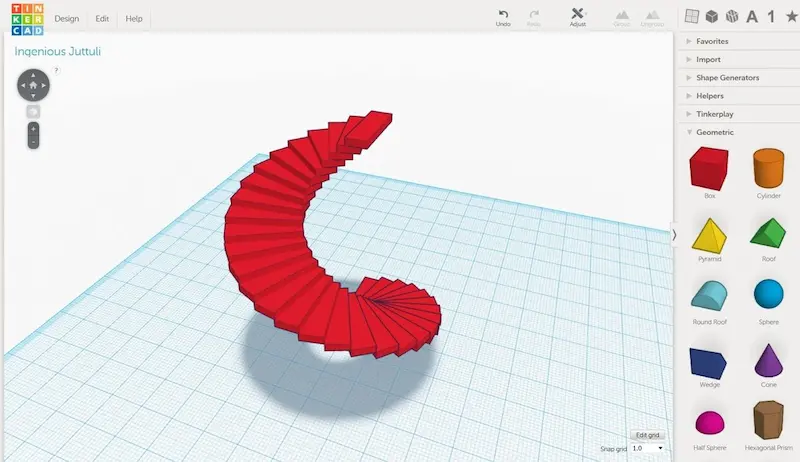
If you’re new to 3D modeling, Tinkercad is a beginner-friendly option that runs directly in your browser.
Features:
- Simple Interface: Drag-and-drop shapes to create 3D models.
- 3D Printing Ready: Models can be exported for 3D printing easily.
- Learning Resources: Ideal for educational use or quick prototyping.
Pros:
- No installation required; works in any modern browser.
- Extremely easy to learn and use.
- Great for kids, students, and hobbyists.
Cons:
- Limited functionality compared to professional tools.
- Not ideal for complex animations or game design.
Tinkercad is perfect for quickly designing simple models or getting a taste of 3D modeling before moving to more advanced software.
You may also like to read this:
Trending 3D Games 2026 Review: Top Must-Play Titles
How Player Feedback on 3D Games Improves Gameplay
Beginner-Friendly Simple 3D Game Comparison Guide For 2025
Top Rated 3D Games This Year – Must-Play 2025 Titles
Best 3D Design Tools For Games: Top Software In 2025
3. SketchUp Free
SketchUp Free is a browser-based version of SketchUp, widely used in architecture and interior design.
Features:
- Precision Modeling: Easy to create accurate architectural and interior designs.
- 3D Warehouse: Access free 3D models created by the community.
- Cloud Storage: Save projects online for easy access.
Pros:
- Intuitive interface, even for beginners.
- Great for architecture, interior design, and furniture modeling.
- Free version is enough for most personal projects.
Cons:
- Advanced features like rendering and animation are only in paid versions.
- Browser-based, so performance may vary depending on your system.
If your goal is architectural modeling or simple 3D objects, SketchUp Free is an excellent choice.
4. FreeCAD
FreeCAD is geared toward parametric modeling, making it perfect for engineering, architecture, and product design.
Features:
- Parametric Design: Easily modify models by changing parameters.
- Modular System: Add functionality with plugins.
- Technical Focus: Ideal for mechanical, engineering, or CAD projects.
Pros:
- Open-source and fully free.
- Great for precision modeling and technical designs.
- Supports multiple file formats.
Cons:
- Less suited for artistic modeling or animation.
- Interface can feel complex for beginners.
FreeCAD is perfect for those focused on technical 3D designs rather than artistic creations.
5. Wings 3D
Wings 3D specializes in subdivision modeling, which allows you to create smooth, high-quality 3D surfaces.
Features:
- Comprehensive modeling tools.
- Lightweight software that runs efficiently on most systems.
- Customizable interface.
Pros:
- Excellent for detailed modeling.
- Simple and lightweight.
- Open-source and free.
Cons:
- No animation or rendering features.
- More suitable for object modeling than complete scenes.
Wings 3D is ideal for artists who want to focus solely on modeling without the complexity of animation.
6. Bforartists
Bforartists is a beginner-friendly fork of Blender that simplifies Blender’s interface.
Features:
- All Blender features with simplified menus.
- Easier workflow for modeling, texturing, and sculpting.
- Open-source and fully free.
Pros:
- Beginner-friendly interface without sacrificing power.
- Same community and resources as Blender.
- Great for modeling, animation, and rendering.
Cons:
- Still complex for absolute beginners.
- Some updates may lag behind Blender.
Bforartists is a fantastic choice if you want Blender’s capabilities but a simpler interface.
Tips for Choosing the Right Free Software
- Identify Your Goal: Are you creating art, games, animations, or CAD models? Different software is better suited for different purposes.
- Evaluate Learning Resources: Some software has more tutorials, community support, and online courses.
- Check System Requirements: Heavy software like Blender may need a strong PC; web-based tools like Tinkercad run on almost any device.
- Try Multiple Tools: Don’t be afraid to experiment with several programs to find your favorite workflow.
Conclusion
Starting your 3D modeling journey with free software for 3D modeling has never been easier. From Blender’s professional-grade features to Tinkercad’s simplicity, there’s a tool for everyone. By exploring these options, practicing consistently, and leveraging online resources, you can create impressive 3D models without spending a cent. Dive in, experiment, and soon you’ll be bringing your ideas to life in 3D.
FAQs About Free Software for 3D Modeling
1. What is the best free software for 3D modeling for beginners?
For beginners, Tinkercad and SketchUp Free are excellent choices. They offer intuitive interfaces, simple tools, and require no prior experience. If you’re willing to invest more time learning, Blender is also a top choice due to its professional-grade features.
2. Can I create professional 3D models using free software?
Yes! Blender, FreeCAD, and Bforartists are powerful enough for professional projects, including animations, game assets, and architectural designs. Many studios and freelancers use Blender for professional work without paying for software.
3. Do free 3D modeling software tools support 3D printing?
Yes, several free tools support 3D printing. Tinkercad, Blender, and FreeCAD allow you to export models in formats compatible with 3D printers, such as STL and OBJ files.
4. Is free 3D modeling software suitable for game development?
Absolutely. Blender is widely used in game development to create models, textures, and animations. You can export your models to engines like Unity or Unreal Engine directly. Wings 3D is also great for modeling objects, though it lacks animation features.
5. Do I need a powerful PC to run 3D modeling software?
It depends on the software. Web-based tools like Tinkercad and SketchUp Free run on almost any computer. However, software like Blender and Bforartists benefit from a more powerful GPU and processor for complex scenes and rendering.