
Introduction
Character modeling has become one of the most exciting parts of digital design, gaming, animation, and virtual production. Whether you are a beginner stepping into 3D design or an intermediate creator looking to improve your workflow, using free character modeling tools can significantly speed up your learning process without any financial pressure. These tools allow users to design human figures, fantasy characters, game assets, and animated model with impressive detail.
In today’s digital world, industries like gaming, film, advertising, and even education rely heavily on 3D characters. That is why learning how to use free character modeling tools is becoming an essential skill for creative professionals. The best part is that many powerful software options are available at no cost, offering features that were once only found in expensive professional programs.
With the right guidance, anyone can start building realistic or stylized characters from scratch. This article will help you understand what character modeling is, why it matters, and how you can start using the best free tools step by step. You will also learn their benefits, drawbacks, and expert tips to improve your workflow. By the end, you will have a complete roadmap to begin your journey in 3D character creation confidently.
What is Free Character Modeling?
Free character modeling refers to the process of creating three-dimensional characters using software tools that do not require payment. These tools are designed to help artists sculpt, shape, texture, and rig characters for animation or static use.
In simple terms, character modeling is like digitally sculpting a figure. You can create humans, animals, creatures, or fantasy beings using polygons and digital brushes. Free character modeling tools provide access to essential features like mesh editing, sculpting brushes, UV mapping, and rendering.
These tools are widely used in game development, animation studios, and independent creative projects. Beginners often start with them because they offer a risk-free environment to learn 3D design skills. Popular examples of free character modeling tools include Blender, MakeHuman, and Daz Studio.
The goal of using these tools is to turn a simple idea into a fully designed character that can be animated or exported into games and films. As technology improves, free software is becoming more powerful and professional-grade, making it easier for creators to enter the 3D industry without expensive investments.
Why are Free Character Modeling Tools Important?
Free character modeling tools play a major role in modern digital creation because they remove financial barriers and allow anyone to start learning 3D design. Instead of spending hundreds of dollars on premium software, beginners can access powerful tools without cost.
Another important reason is accessibility. Students, freelancers, and hobbyists can experiment with different techniques and build portfolios using free character modeling tools. This helps them gain real-world experience before entering professional industries.
These tools also encourage creativity. Since there is no financial risk, users feel more comfortable experimenting with complex designs, characters, and animations. This freedom leads to better learning and faster skill development.
In addition, many game studios and animation companies now support workflows built on free software. This means that skills learned through free character modeling tools are directly applicable in professional environments.
Detailed Step-by-Step Guide to Using Free Character Modeling Tools
Step 1: Choosing the Right Tool
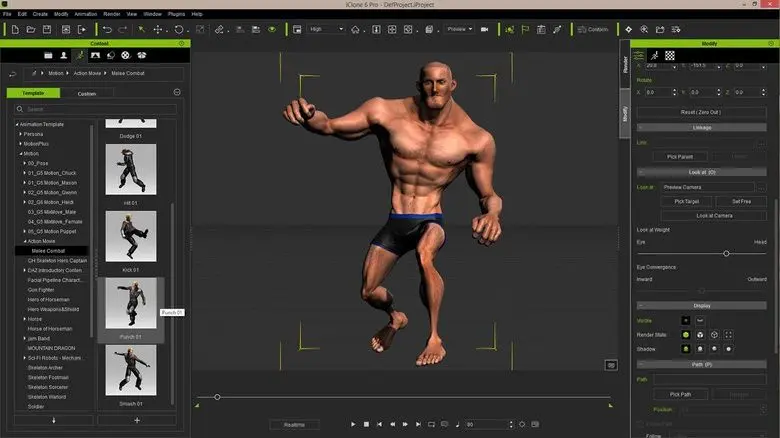
The first step is selecting the right software based on your needs. Blender is one of the most popular free character modeling tools because it offers sculpting, animation, and rendering in one package. MakeHuman is better for quickly generating human models, while Daz Studio is ideal for posing and rendering realistic characters.
Step 2: Learning Basic Interface
Once you install the tool, spend time understanding the interface. Learn where tools like sculpting brushes, mesh editors, and navigation controls are located. This foundation is essential for smooth workflow.
Step 3: Creating a Base Model
Start by creating a simple base mesh. Most free character modeling tools provide templates like human bodies or primitive shapes. Modify these shapes gradually instead of starting from scratch.
Step 4: Sculpting the Character
Sculpting is where your creativity comes in. Use brushes to shape facial features, body structure, and details. Adjust proportions carefully to maintain realism or stylized design.
Step 5: Adding Details
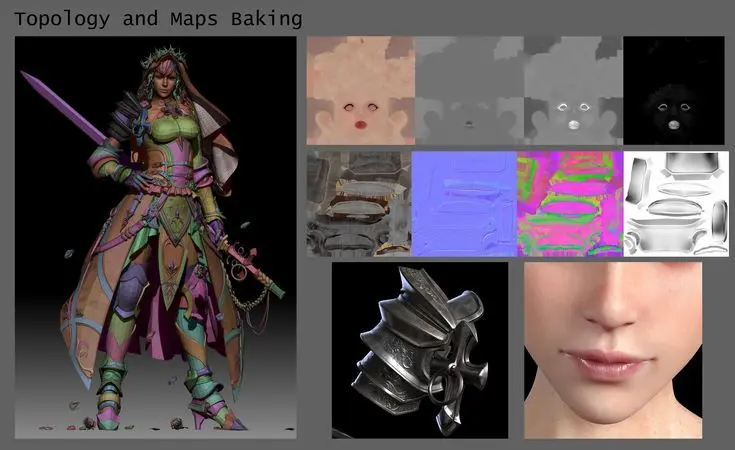
Once the basic shape is complete, add fine details like wrinkles, hair, clothing, and textures. This step makes your character look more realistic and professional.
Step 6: Texturing and Coloring
Apply materials and textures to give your character color and surface detail. This includes skin tones, fabric textures, and reflective surfaces.
Step 7: Rigging and Animation
Rigging adds a skeleton to your character so it can move. Most free character modeling tools provide automatic or manual rigging systems for animation.
Step 8: Rendering Final Output
Finally, render your character into an image or animation. Adjust lighting and camera angles to enhance presentation quality.
Benefits of Free Character Modeling Tools
- No cost required, making them accessible for everyone
- Ideal for beginners learning 3D design
- Large community support and tutorials available
- Regular updates and improvements in features
- Suitable for both simple and advanced projects
- Useful for portfolio building and freelancing
- Compatible with game engines like Unity and Unreal Engine
Disadvantages / Risks of Free Character Modeling Tools
- Some tools may have a learning curve for beginners
- Limited customer support compared to paid software
- High-end features may be less advanced in some programs
- Requires a powerful computer for smooth performance
- Export compatibility issues may occur in rare cases
Common Mistakes to Avoid
Many beginners make mistakes while using free character modeling tools that slow their progress. One common mistake is skipping the basics and jumping directly into advanced modeling. This often leads to confusion and poor results.
Another mistake is ignoring scale and proportion. Characters may look unrealistic if proper measurements are not maintained.
Overloading the model with unnecessary details is also a common issue. Beginners should focus on clean and simple structures first.
Not saving progress regularly can also cause data loss. It is important to save different versions of your project.
FAQs
1. What are the best free character modeling tools?
Some of the best options include Blender, MakeHuman, and Daz Studio. Each tool offers different features depending on your needs.
2. Are free character modeling tools good for professionals?
Yes, many professionals use free tools like Blender for game development, animation, and VFX projects.
3. Can beginners learn character modeling easily?
Yes, beginners can start easily with practice and tutorials. Free character modeling tools are designed to be beginner-friendly.
4. Do I need a powerful computer?
Not always, but having a good GPU and RAM helps improve performance, especially for complex models.
5. Can I use these tools for game development?
Yes, most free character modeling tools support exporting models to game engines like Unity and Unreal Engine.
6. How long does it take to learn character modeling?
It depends on practice, but basic skills can be learned in a few weeks with consistent effort.
Expert Tips & Bonus Points
To improve your skills with free character modeling tools, practice daily instead of working for long irregular sessions. Focus on understanding anatomy and proportions before moving to advanced designs.
Use reference images while modeling to improve accuracy. Study real-life human structures or character designs from games and movies.
Join online communities where artists share feedback and tutorials. This helps you learn faster and avoid common mistakes.
Experiment with different styles such as realistic, cartoon, or stylized characters. This will expand your creative abilities.
Finally, always challenge yourself with new projects. The more you practice, the better your modeling skills will become.
Conclusion
Free character modeling tools have completely changed the way beginners and intermediate designers enter the world of 3D creation. What once required expensive software and professional training can now be learned using accessible and powerful free tools. These platforms provide everything needed to design, sculpt, texture, and animate characters for games, films, and digital projects.
By using free character modeling tools, creators can build strong foundations without financial pressure. They offer flexibility, community support, and real-world applications that help users grow into professional designers over time.
Although there are some limitations, the advantages far outweigh the drawbacks. With consistent practice, patience, and creativity, anyone can turn simple ideas into impressive 3D characters.