
Introduction
Creating a game from scratch is an exciting journey, but it often comes with challenges especially when it comes to visuals, sounds, and design elements. For beginners and even intermediate developers, producing every asset on your own can be time-consuming and expensive. This is where royalty free game assets come into play. They provide a practical solution for developers who want to build high-quality games without breaking the bank or spending months creating resources from scratch.
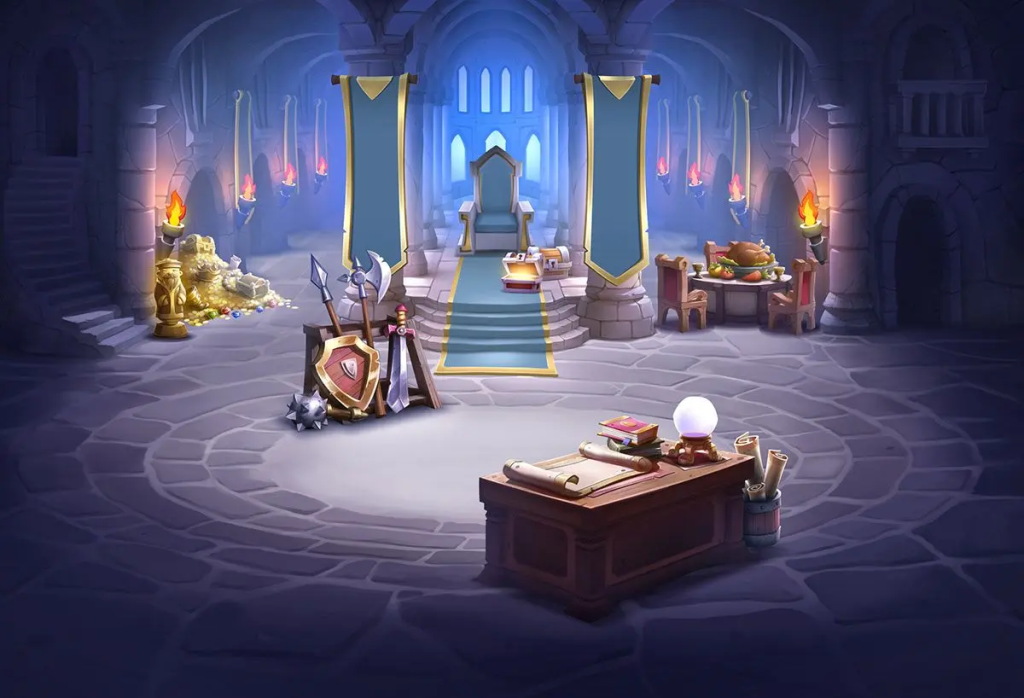
Royalty free game assets are pre-made elements like characters, environments, music, sound effects, and animations that can be used in games without paying ongoing fees. Instead of hiring designers or composers, developers can access these ready-made resources and focus more on gameplay and user experience. As a result, game development becomes faster, more affordable, and more accessible to a wider audience.
In today’s competitive gaming industry, efficiency matters. Using royalty free assets not only speeds up production but also allows creators to experiment with ideas quickly. Whether you are working on a mobile game, indie project, or prototype, these assets can help you bring your vision to life. In this guide, you will learn everything you need to know about royalty free game assets, how to use them effectively, and how to avoid common mistakes.
What is Royalty Free Game Assets?
Royalty free game assets are digital resources that can be used in game development without the need to pay recurring royalties. Once you purchase or download these assets—often for free or a one-time fee—you can use them in your projects according to the license terms.
These assets include a wide range of materials, such as:
- 2D and 3D character models
- Backgrounds and environments
- Sound effects and music tracks
- User interface (UI) elements
- Animations and particle effects
The key feature is that you don’t have to pay each time your game is sold or downloaded. However, “royalty free” does not always mean completely free. Some assets require attribution, while others may have restrictions on redistribution or resale.
For example, a developer building a platformer game can use royalty free sprites for characters and backgrounds instead of designing them manually. Similarly, background music can be added without hiring a composer, saving both time and money.
Why is Royalty Free Game Assets Important?
Royalty free game assets play a crucial role in modern game development, especially for indie developers and small teams.
First, they reduce development costs. Hiring artists, designers, and musicians can be expensive. Royalty free assets provide a budget-friendly alternative while still maintaining quality.
Second, they save time. Creating assets from scratch requires skill and effort. By using ready-made assets, developers can focus on coding, gameplay mechanics, and testing.
Third, they make game development accessible. Beginners who lack design skills can still create visually appealing games. This lowers the barrier to entry and encourages creativity.
Additionally, they support rapid prototyping. Developers can quickly test ideas using existing assets before investing in custom designs. This approach is especially useful in early development stages.
Detailed Step-by-Step Guide
Step 1: Define Your Game Style
Before choosing any assets, decide on the style of your game. Is it a 2D platformer, a 3D shooter, or a casual mobile game? Knowing your style helps you select assets that match your vision.
For example, a pixel art game requires different assets compared to a realistic 3D game. Consistency in style is important to maintain a professional look.
Step 2: Research Asset Sources
Look for reliable platforms that offer royalty free game assets. Some provide free resources, while others offer premium collections.
Focus on platforms that clearly explain licensing terms. Always read the license carefully to ensure you are allowed to use the asset in your project.
Step 3: Check Licensing Terms
Not all royalty free assets are the same. Some may require attribution, while others allow full commercial use without credit.
Make sure you understand:
- Whether attribution is required
- If commercial use is allowed
- Any restrictions on modification or distribution
Ignoring licensing terms can lead to legal issues later.
Step 4: Download and Organize Assets
Once you select your assets, download and organize them properly. Create folders for different types such as characters, sounds, and UI elements.
Proper organization saves time and keeps your workflow smooth.
Step 5: Customize the Assets
Even though assets are ready-made, customizing them can make your game unique. You can change colors, resize elements, or combine different assets to create a distinct style.
For example, adjusting the color palette of a character sprite can help it match your game’s theme.
Step 6: Integrate into Game Engine
Import the assets into your game engine, such as Unity or Unreal Engine. Ensure that the assets are optimized for performance.
Check file formats, resolution, and compatibility with your engine.
Step 7: Test and Optimize
After integration, test your game thoroughly. Ensure that assets work correctly and do not affect performance.
Optimize file sizes and remove unused assets to improve efficiency.
Benefits of Royalty Free Game Assets
- Cost-effective solution for developers with limited budgets
- Saves time by eliminating the need to create assets from scratch
- Wide variety of styles and categories available
- Ideal for rapid prototyping and testing ideas
- Accessible for beginners with limited design skills
- Allows focus on gameplay and user experience
- Reduces production workload significantly
Disadvantages / Risks
- Limited uniqueness if many developers use the same assets
- Licensing restrictions can be confusing
- Quality may vary depending on the source
- Overuse of assets can make games look generic
- Some assets may require attribution
- Compatibility issues with certain game engines
Common Mistakes to Avoid
One common mistake is ignoring licensing terms. Many developers assume that “royalty free” means completely unrestricted, which is not always true. Always read the license before using any asset.
Another mistake is mixing different art styles. Combining realistic 3D models with cartoonish elements can make your game look inconsistent. Stick to a unified style for a professional appearance.
Overloading your game with too many assets is also a problem. Adding unnecessary elements can affect performance and make the game cluttered. Focus on quality rather than quantity.
Failing to customize assets is another issue. Using assets exactly as they are can make your game look like others. Simple modifications can help create a unique identity.
FAQs
1. Are royalty free game assets completely free?
Not always. Some assets are free, while others require a one-time payment. “Royalty free” means you don’t pay ongoing fees, but initial costs may still apply.
2. Can I use royalty free assets in commercial games?
Yes, most royalty free assets allow commercial use. However, you must check the license to confirm this.
3. Do I need to give credit to the creator?
It depends on the license. Some assets require attribution, while others do not. Always verify the requirements before using them.
4. Can I modify royalty free assets?
In most cases, yes. Many licenses allow modification, but some may have restrictions. Check the terms carefully.
5. Are royalty free assets safe to use?
Yes, as long as you download them from reputable sources and follow licensing rules. Avoid using assets from unknown or unreliable platforms.
6. Will using these assets make my game look unoriginal?
It can happen if you use them without customization. However, modifying and combining assets creatively can result in a unique game.
7. Where can beginners find royalty free assets?
Beginners can find assets on various online platforms that offer free and premium collections. Look for platforms with clear licensing terms and good reviews.
Expert Tips & Bonus Points
To make the most of royalty free game assets, always aim for consistency. Choose assets that match your game’s theme and avoid mixing styles.
Focus on customization. Even small changes can make a big difference in how your game looks and feels.
Use assets as a foundation rather than a final product. Combine multiple resources to create something new and unique.
Keep performance in mind. High-quality assets are great, but they should not slow down your game. Optimize file sizes and remove unnecessary elements.
Stay organized throughout your development process. Proper asset management improves efficiency and reduces errors.
Conclusion
Royalty free game assets have transformed the way games are developed, making it easier and more affordable for creators to bring their ideas to life. Whether you are a beginner exploring game development or an intermediate developer working on a project, these assets provide a valuable resource that saves both time and money.
By understanding what royalty free game assets are and how to use them effectively, you can streamline your workflow and focus on what truly matters creating an engaging and enjoyable game. However, it is important to pay attention to licensing terms, maintain consistency in design, and avoid common mistakes that can affect the quality of your project.
While these assets offer convenience, they should be used wisely. Customization and creativity are key to making your game stand out in a crowded market. Instead of relying entirely on pre-made resources, use them as a starting point and build upon them to create something unique.