
Introduction
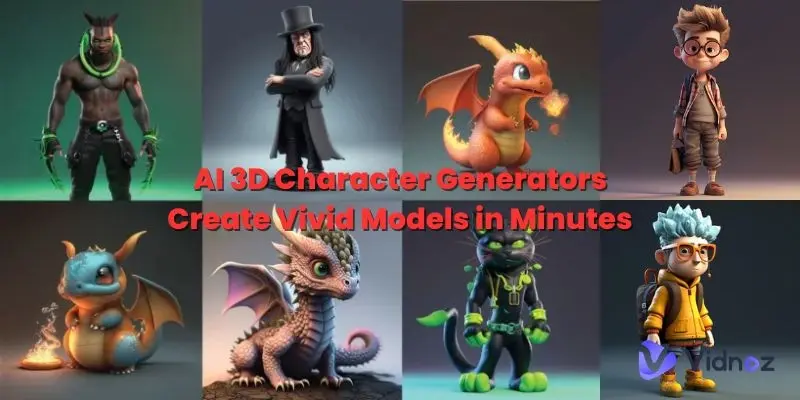
The world of digital design is changing faster than ever, and one of the biggest innovations driving this change is the AI 3D model generator. This powerful technology allows users to create detailed 3D models using artificial intelligence without needing advanced design skills or complex software knowledge. Instead of spending hours manually sculpting objects in traditional 3D tools, creator can now generate realistic models in minutes using simple text prompts or images. This shift is making 3D design more accessible to beginners, game developers, architects, marketers, and even hobbyists.
In recent years, demand for 3D content has increased rapidly due to gaming, virtual reality, animation, and product visualization industries. As a result, tools like AI 3D model generator platforms have become essential for speeding up workflows and reducing production costs. Whether you are designing characters, environments, or product prototypes, AI can help turn ideas into visually accurate 3D assets quickly and efficiently.
What is AI 3D Model Generator?
An AI 3D model generator is a software tool powered by artificial intelligence that creates three-dimensional objects automatically based on user input. This input can be text descriptions, sketches, images, or even rough concepts. The system then analyzes the input and generates a fully structured 3D model that can be used in games, animations, simulations, and design projects.
Unlike traditional modeling software such as Blender or Maya, where users manually build every detail, an AI 3D model generator uses machine learning algorithms trained on thousands of 3D assets. These algorithms understand shapes, textures, lighting, and structure to produce realistic outputs.
For example, if you type “a futuristic car with neon lights,” the AI will interpret the description and generate a detailed 3D version of that object. Some advanced tools also allow editing and refinement after generation, giving creators more control over the final result.
This technology is transforming industries by reducing the time and effort required to create high-quality models while improving creativity and productivity.
Why is AI 3D Model Generator Important?
The importance of AI 3D model generator tools lies in their ability to simplify and accelerate the creative process. In industries like gaming, architecture, and advertising, time is a critical factor. Traditional 3D modeling can take days or even weeks for a single asset, but AI can produce similar results in minutes.
Another key reason is accessibility. Earlier, only skilled designers could create 3D content, but now beginners can enter the field with minimal learning. This democratization of design opens opportunities for students, freelancers, and small businesses.
Moreover, businesses benefit from reduced production costs. Instead of hiring large teams, companies can use AI tools to generate prototypes and visuals quickly. This allows faster decision-making and improved project efficiency.
Lastly, the AI 3D model generator supports innovation. Designers can experiment with multiple ideas instantly, leading to more creative outcomes that were previously difficult to achieve due to time limitations.
Detailed Step-by-Step Guide
Step 1: Choose the Right AI Tool
Start by selecting a reliable AI 3D model generator platform. Different tools offer different features such as text-to-3D, image-to-3D, or real-time editing. Choose one based on your project needs.
Step 2: Input Your Idea
Enter a clear description of what you want to create. For example, “a medieval castle with stone walls and towers.” The more detailed your input, the better the result will be.
Step 3: Generate the Model
Once you submit your prompt, the AI processes it and creates a 3D model. This usually takes a few seconds to minutes depending on complexity.
Step 4: Refine and Edit
Most AI tools allow adjustments. You can modify shapes, textures, colors, and lighting to improve the final output.
Step 5: Export the Model
After finalizing, export your model in formats like OBJ, FBX, or STL for use in games, animation software, or 3D printing.
Step 6: Integrate into Projects
Finally, import your model into your desired platform such as Unity, Unreal Engine, or Blender for further development.
Benefits of AI 3D Model Generator
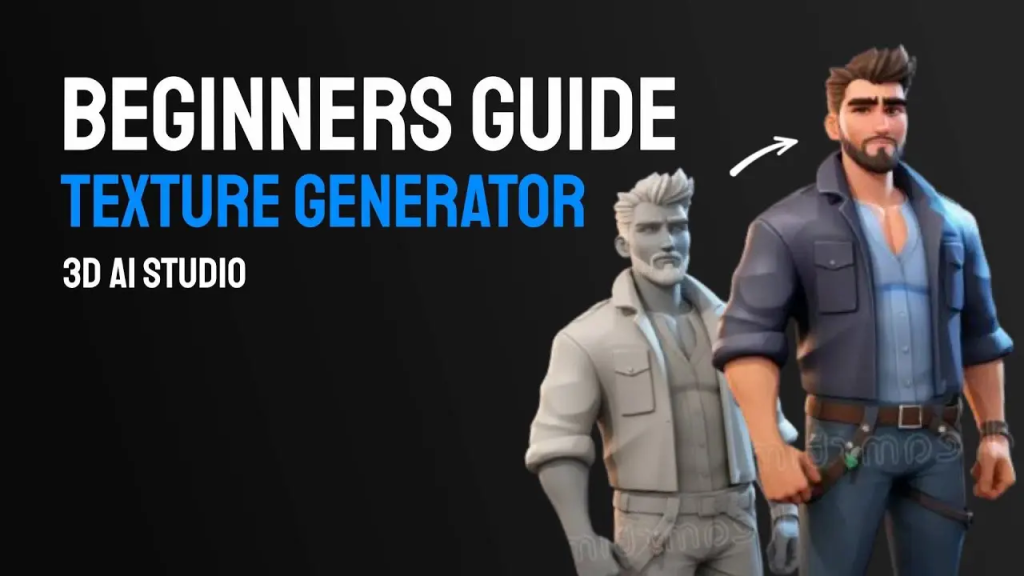
Using an AI 3D model generator offers several advantages that make it highly valuable for creators and businesses:
- Saves significant time compared to manual modeling
- Reduces cost of hiring professional 3D designers
- Easy to use for beginners with no technical background
- Increases productivity for professionals
- Enables rapid prototyping and testing of ideas
- Supports creative experimentation without limitations
- Improves workflow efficiency in game and animation development
Disadvantages / Risks
Despite its advantages, there are some limitations to consider:
- Limited creative control compared to manual modeling
- AI-generated models may lack fine artistic details
- Dependence on internet and software platforms
- Some tools require paid subscriptions
- Occasional inaccuracies in complex designs
- Learning curve for advanced customization features
Common Mistakes to Avoid
Many beginners make mistakes when using AI tools. Avoid the following:
- Using unclear or vague prompts
- Relying completely on AI without editing results
- Ignoring model optimization for performance
- Not checking file compatibility before export
- Overloading models with unnecessary details
- Using low-quality AI tools without research
FAQs
1. What is an AI 3D model generator used for?
It is used to create 3D models automatically for gaming, animation, architecture, product design, and virtual reality projects. It speeds up the design process significantly.
2. Do I need experience to use it?
No, most AI 3D model generator tools are beginner-friendly and designed for users without prior 3D modeling experience.
3. Can AI replace human 3D artists?
Not completely. While AI helps with speed and automation, human creativity is still essential for detailed design and artistic direction.
4. Are AI-generated models editable?
Yes, most tools allow editing after generation so users can refine shapes, textures, and details as needed.
5. What file formats are supported?
Common formats include OBJ, FBX, and STL, which are compatible with most 3D software and game engines.
6. Is AI 3D modeling expensive?
Some tools are free, but advanced features usually require paid subscriptions depending on the platform.
Expert Tips & Bonus Points
To get the best results from an AI 3D model generator, follow these expert tips:
- Always use detailed and descriptive prompts
- Experiment with multiple variations of the same idea
- Combine AI results with manual editing for better quality
- Learn basic 3D concepts to improve output control
- Use high-quality AI platforms for professional results
- Save different versions of your models for comparison
- Optimize models for performance before using in games
Conclusion
The rise of the AI 3D model generator is transforming the digital design industry in powerful ways. It has made 3D modeling faster, more accessible, and more efficient than ever before. Whether you are a beginner exploring creative design or a professional working on complex projects, AI tools can significantly enhance your workflow and productivity.
By reducing the technical barriers of traditional modeling, this technology allows more people to bring their ideas to life in 3D space. However, while AI offers speed and convenience, human creativity still plays a crucial role in refining and improving the final output.
As industries continue to evolve, the combination of artificial intelligence and human design skills will define the future of 3D content creation. Learning how to effectively use an AI 3D model generator today can give you a strong advantage in gaming, animation, architecture, and digital media fields.